

Why Not All VoIP Routes Have the Same Call Quality
Two VoIP providers can send a call to the same phone number and produce very different results.
Two VoIP providers can send a call to the same phone number and produce very different results. One call may connect quickly with clear audio. Another may have delay, noise, one-way audio, failed connection, or poor caller ID delivery.
That difference often comes down to routing.
VoIP is not one single path. When your business places a call, the call may pass through different networks, carriers, intermediaries, and termination routes before it reaches the person you are calling. The route used can affect call quality, answer rates, reliability, and cost.
What Is a VoIP Route?
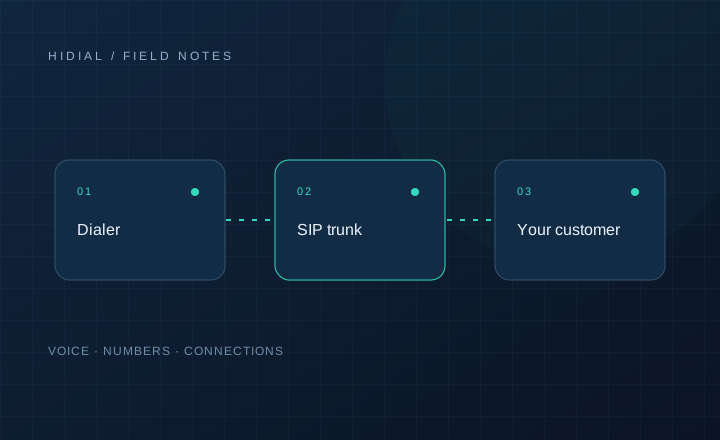
A VoIP route is the path your call takes from your phone system, dialer, or SIP trunk to the final destination.
For example, if your ViciDial server places a call to a mobile phone, the call may go from your server to your SIP provider, then through one or more carrier networks, and finally to the recipient’s mobile carrier.
Some routes are direct and stable. Others pass through more intermediaries. The more complicated the path, the more chances there are for delay, failure, caller ID issues, or audio problems.
Why Routes Are Different
VoIP providers do not all use the same carrier relationships. Some have better routes for U.S. mobile calls. Others may be stronger for toll-free, international, inbound, or specific regions.
Routes can also change depending on cost, traffic volume, destination, time of day, and carrier availability.
A provider may offer a very low rate because the route is cheaper. That does not always mean the route is bad, but it does mean you should test performance instead of judging only by price.
Common Signs of Poor Route Quality
Poor routing can show up in several ways.
Calls may fail before reaching the customer. They may ring once and disconnect. Agents may hear silence after the call is answered. Customers may complain about delay, echo, or choppy audio.
You may also see short average call duration, lower answer rates, higher busy or rejected responses, and inconsistent results by area code or carrier.
Sometimes the problem is not your dialer at all. ViciDial may be sending the call correctly, but the route used by the provider may be causing the issue.
Audio Quality Problems
Audio quality depends on more than internet speed.
Codec handling, packet loss, latency, jitter, transcoding, firewall behavior, and carrier routing can all affect the conversation.
A route with too many handoffs can create delay. A provider that uses poor-quality termination may produce choppy audio. A codec mismatch can force transcoding, which may reduce quality or increase server load.
For call centers, even small audio problems matter. Agents repeat themselves, customers lose patience, and calls end earlier than they should.
Caller ID and Route Quality
Route quality also affects caller ID delivery.
If caller ID is not passed correctly, the customer may see the wrong number, “Unknown,” or no caller ID at all. In some cases, calls may be rejected because the caller ID format does not match what the route expects.
For outbound campaigns, caller ID problems can hurt answer rates and reporting. If your team uses local numbers, DID tracking, or campaign-specific caller IDs, the route must preserve that information correctly.
STIR/SHAKEN and Trust Signals
STIR/SHAKEN helps authenticate caller ID information on IP-based voice networks. It is not the same thing as audio quality, but it can affect how calls are treated by carriers.
A route that does not support proper caller ID authentication may create more friction. Calls may still connect, but they may be less trusted by receiving networks.
For businesses making outbound calls, route quality should include technical quality and caller identity handling.
Cheap Routes Can Cost More
A cheaper route may reduce your telecom bill, but it can hurt performance if fewer calls connect or fewer people answer.
For a call center, the important metric is not only cost per minute. It is cost per real conversation.
If agents are waiting through failed calls, dealing with bad audio, or calling leads who never receive the call properly, the cheaper route may end up costing more.
How to Test Route Quality
Test routes with real traffic before moving a full campaign.
Place calls to different carriers, regions, and number types. Track answer rate, failed calls, average call duration, audio quality, caller ID display, and agent feedback.
If you use ViciDial, compare carrier logs and campaign reports. Look for patterns by destination, caller ID, carrier response, and time of day.
Do not rely on one or two test calls. A route may work once and still perform poorly at campaign volume.
When to Switch Routes or Providers
If you see repeated call failures, poor audio, caller ID problems, or unexplained answer rate drops, review your routes.
Sometimes the fix is simple: adjust number format, change codecs, update SIP settings, or move traffic to a better route. Other times, the provider may not be the right fit for your call volume or campaign type.
A good provider should help investigate, not just say the calls are completing on their side.
Discuss your setup
Contact HiDial with your phone-system layout, numbers, destinations, and routing requirements.