

Why Your Calls Show as Spam Likely
Separate caller ID authentication from reputation, investigate the affected calls, and improve the way your team follows up.
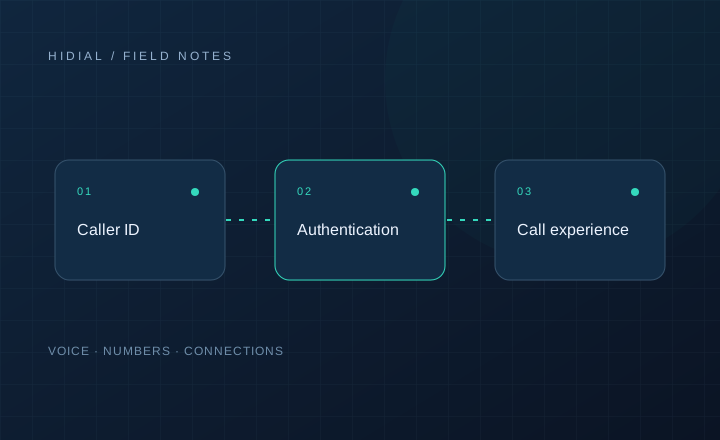
A customer tells you that your call appeared as “Spam Likely.” Before replacing the number, establish what happened. Was the call labeled, blocked, sent to voicemail, or simply unanswered? Those outcomes can look similar in campaign reports but require different investigations.
There is no single label shared by every phone, carrier, and calling app. A number may appear normally on one device and carry a warning on another. Record the receiving carrier and app whenever you can.
Collect examples before making changes
Start with a small set of affected calls. Keep the originating number, receiving number, timestamp with timezone, and a screenshot of the displayed label when the recipient can provide one. Include the receiving carrier and whether the customer was expecting your call.
Compare those examples with call detail records. A call that reaches a phone with a warning is a different problem from a call rejected upstream. If you operate several campaigns, check whether the issue follows a number, a campaign, a route, or a destination network.
Understand authentication and reputation
STIR/SHAKEN provides information about caller ID authentication. It is not a promise that every receiving network will display a call without a warning. Providers may also use analytics to decide how to label or handle calls.
Ask your originating provider how caller ID authentication is applied to your traffic and whether it has verified your right to use the displayed number. Separately, ask which review process applies to the network or analytics service displaying the label. Correcting one record does not necessarily update every provider.
Review the calling experience
Investigate what recipients actually experience. Are agents available when a call is answered? Are repeat attempts concentrated in a short period? Can a customer call the displayed number back and reach your business?
Review lead sources, consent records, suppression lists, and opt-out handling with the people responsible for your campaigns. An expected follow-up with a clear business identity creates a different customer experience from an unexplained sequence of repeated attempts. Do not change numbers to evade blocking or ignore recipients’ requests to stop.
Request a review through the relevant channel
Ask your provider which carrier or analytics service handles the observed warning, then follow that service’s correction process. Supply accurate business details, the numbers you control, and the call examples you collected. Track where requests were submitted and when responses arrived.
The FCC also has a complaint category for your own number being spoofed, blocked, or labeled as potential spam. A complaint is a reporting path, not a guarantee that a label will be removed.
Measure results without assuming a cure
Repeat tests on the same destination networks after a change. Track label reports separately from answer rate, rejection codes, and customer complaints. Answer rate alone cannot tell you whether reputation improved; changes in lead quality, timing, or campaign staffing can affect it too.
Keep a stable record of your business numbers and their purpose. Contact HiDial with affected call examples to discuss number provisioning and routing questions. No provider can guarantee that all receiving networks will treat a number identically.